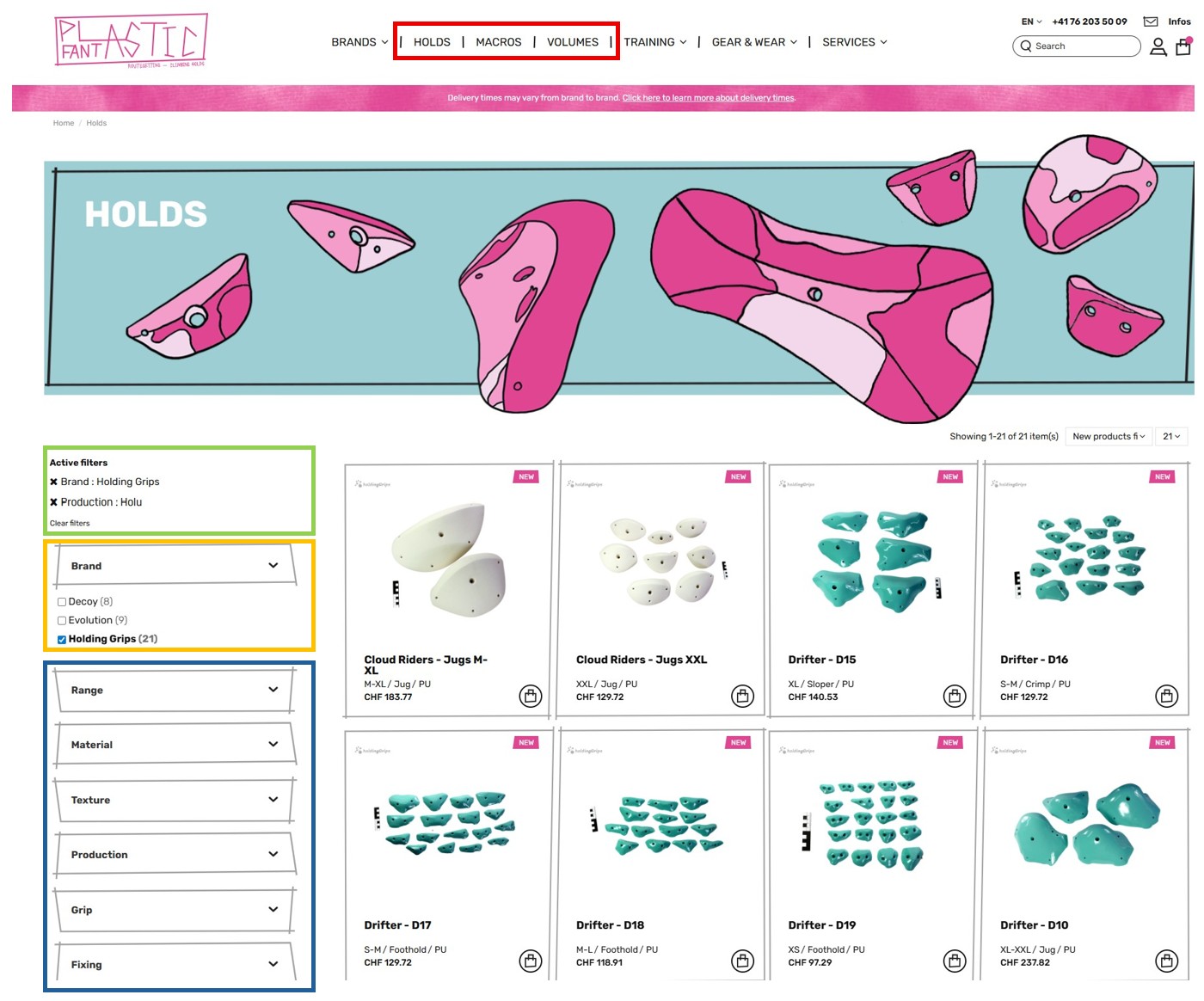
First, you can select “Holds,” “Macros,” or “Volumes” according to your needs. (Check the red box)
Next, you can manage the filters. Feel free to play around with the filters to refine your selection. Are you looking for large holds, a dual texture, grip type, etc. (Check the blue box)
In this blue box, located between texture and hold, you will find "Production". This allows you to select different brands at no additional cost. Please note that a brand does not necessarily correspond to a single production.
Here's an example: I want PU holds from the Holding Grips brand, but I want to see what other products from other brands I can select with them. So I select “holds.” Then I open the “Brand filter.” From the list, I select “Holding Grips.” Finally, I open the “Production” filter and select the only production available for Holding Grips, Holu. Now look at the yellow box. If I open the “Brand” filter, I get a list of brands produced by Holu. If I select Decoy or Evolution, I know that I will only pay shipping and import fees once.
Now check Active filters (Green box). You will see that with only those two filters, I can easily get the information of production and optimize my shipping costs.
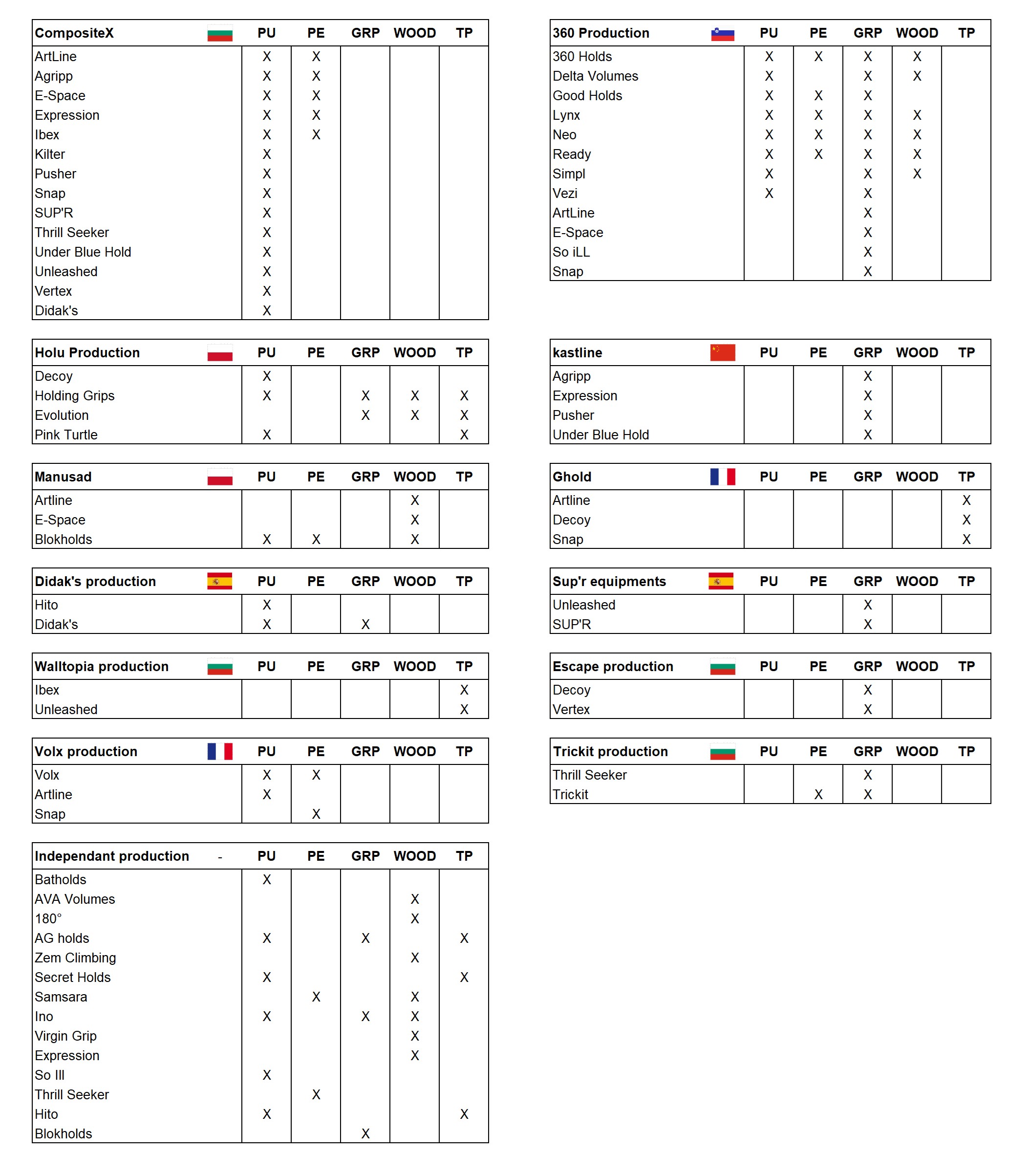
To help you see more clearly, here is a table showing where each brand is produced. This will help you identify the products that best suit your needs.